



Meowzino Casino Login and Registration
The Meowzino login process is rapid enough that most players don’t even notice it. Registration is also fast, taking only a couple of minutes. And from that moment on, you can try real money games, bonuses and tournaments. The whole account dashboard is also available after you sign up.



What You Get with a Meow Zino Account
An account registration separates watching from truly playing. You can only play demo mode without one.
Once you complete a Meowzino registration, a lot of things open up immediately:
- Access to real money gaming across the full game library
- Welcome bonus and all subsequent promotions
- A dashboard with balance, transaction history, active bonuses and your personal data
- Tournament and mission participation
- Responsible gaming tools including deposit limits, session timers, and self-exclusion
- Document upload for verification, which unlocks withdrawal capability
After the Meowzino register process is complete, the account also acts as a record. Every spin, deposit, and withdrawal is logged and timestamped in the transaction history. If something ever looks off, that history is what the support team uses to track it down and fix it.
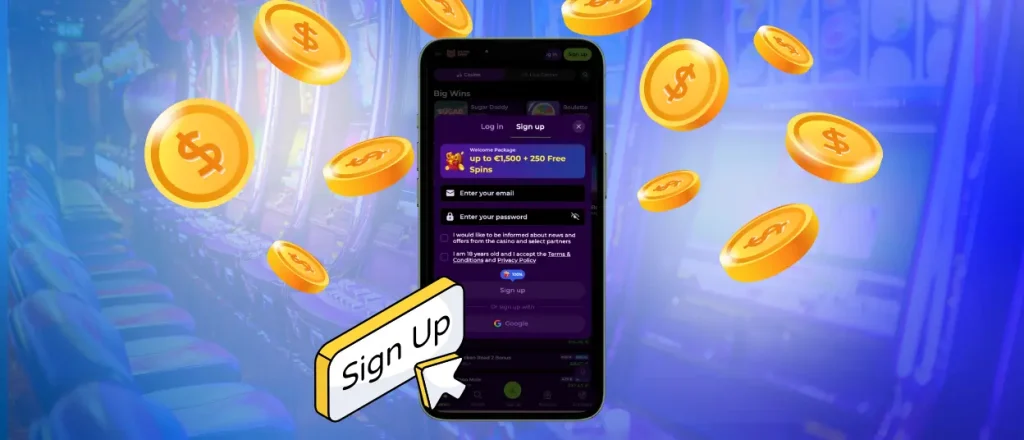
How to Register
If you want to create an account, the process doesn’t ask for anything complicated upfront.
- You start by clicking “Sign Up” in the top corner of the homepage.
- After this, you should enter your email address and choose a password. At least eight characters, mixing upper and lowercase. You will use this information later to complete a Meow Zino login.
- You will then have to confirm you are 18 or older and accept the platform’s terms and conditions.
- Finally, we’ll ask you to submit the form and open the confirmation email that arrives in your inbox. Click the activation link inside that email to complete the account approval.
Google user login and sign-up are also available. It skips a couple of steps and means one fewer password to keep track of.
Account Access and Settings
Once signed up, each session starts at the Meowzino login screen. Enter your email and password, click “Log In,” and the dashboard will open straight away. If you used Google sign-in to establish the account, it works here too: one click, and you’re in. On mobile, Face ID is supported on iOS devices. It does the whole thing with zero typing.
| Section | What Is There |
| Balance & Wallet | Current funds, deposit button, withdrawal requests |
| Bonus Tracker | Active offers, wagering progress, cashback status |
| Game History | Full log of sessions, bets placed, and results |
| Transactions | Deposit and withdrawal records with timestamps |
| Profile Settings | Meowzino login details (email, password), contact details, 2FA toggle |
| Responsible Gaming | Deposit limits, session controls, cooling-off options |
| Verification Status | Document upload and current verification progress |
Two-factor authentication is available under profile settings and worth turning on early. It adds a one-time code step at login, but it makes unauthorized access nearly impossible.
Lost Your Password?
Forgetting a password is not a problem, though we recommend keeping all your passwords in special apps. If you need to recover it, click “Forgot password?” on the login page, enter the email address the account was registered with, and a reset link arrives within a minute or two. Set a new password, and the Meowzino login works immediately with the updated credentials.
If the email doesn’t show up, check the spam folder first. It ends up there often. If it’s not there, live chat can verify the account and sort it out.
Meowzino Verification Process
An identity check unlocks withdrawals. Until it’s completed, deposits and gameplay work normally, but no money can leave the account. The process involves submitting three things:
- A government-issued photo ID
- A proof of address document dated within the last three months
- Confirmation of the payment method being used on the account
Documents are uploaded directly through the dashboard. The review team processes submissions within 48 hours in most cases and sends a confirmation email once the account is cleared.
The first time most players think about verification is when they want to withdraw something. It causes delays, so it’s better to complete it after your first Meowzino login.
FAQ
Can I share my account profile with a friend?
No. Accounts are strictly one person per account. Sharing Meowzino login credentials violates the platform’s terms and can result in the account being closed, which means losing any balance or active bonuses. If a friend wants to play, they should register their own account.
Why was my Meowzino account locked for a short time?
A temporary lock almost always comes from too many consecutive failed login attempts in a short window. It’s a standard security measure. If someone is trying to brute-force their way into an account by repeatedly guessing a password, the lockout stops that process. The lock lifts automatically after a short period. Using the password reset option is the fastest way back in if you’ve forgotten the credentials.
I signed up with Google. Can I use my email and password to log in later?
When you register through Google, Meowzino Casino does not create a separate password for the account, it authenticates entirely through your Google credentials. The standard email and password login won’t work. The Google button on the Meowzino login page is the correct route every time.


